
Introduction: Your Company Has the Answers. Can Your Employees Find Them?
Most businesses have more internal knowledge than they realize.
Product documentation lives in shared drives. Technical decisions are buried in Slack conversations. HR policies sit in PDFs. Customer support teams maintain troubleshooting guides, while engineers rely on documentation that may not have been updated in months.
The problem is not necessarily a lack of information. It is the time and effort required to find the right information when it is needed.
Employees may spend valuable time searching multiple systems, asking colleagues repetitive questions, or relying on outdated documents. As organizations grow, these inefficiencies become increasingly difficult to manage.
An internal AI knowledge base offers a different approach. Instead of searching through folders and documents manually, employees can ask questions in natural language and receive answers grounded in their organization’s knowledge.
For example, an engineer could ask, “How do we handle failed payment webhooks?” An HR employee could ask, “What is our remote-work policy?” A support representative could ask, “What steps should I follow when a customer cannot access their account?”
A well-designed system retrieves relevant information from approved company sources and uses an AI model to produce a clear, contextual answer.
However, connecting an AI model to company documents is only the beginning. A production-ready solution must also address inaccurate answers, document permissions, outdated information, data privacy, and ongoing maintenance.
This guide explains how to design, build, and deploy an internal AI knowledge base that delivers useful answers while respecting the organization’s security and operational requirements.
What Is an Internal AI Knowledge Base?
An internal AI knowledge base is a system that allows employees to search and interact with company information using natural language.
It combines a knowledge repository with information retrieval, an AI model, and an application interface.
Unlike a traditional document search engine, which primarily returns matching files or passages, an AI knowledge base can synthesize relevant information into a response tailored to the user’s question.
A typical system may connect to:
- Internal documentation and knowledge portals.
- PDF files, Word documents, and spreadsheets.
- Company policies and standard operating procedures.
- Engineering documentation and API references.
- Customer support tickets and troubleshooting guides.
- Approved project records and internal FAQs.
- Selected business applications and databases.
The exact sources depend on the organization’s requirements and existing infrastructure.
For example, a software company might connect its internal AI assistant to engineering documentation, incident reports, onboarding guides, and API specifications. Employees could then ask questions without manually searching each source.
The objective is not to replace every existing knowledge management tool. It is to make the information already maintained by those tools easier to access and use.
Why Traditional Knowledge Management Falls Short
Traditional knowledge repositories are useful, but they often depend on employees knowing where information is stored and which search terms to use.
Several challenges make this difficult.
1. Information is spread across multiple systems
Employees may need to search a document management platform, a project management tool, a source code repository, and an internal wiki to answer one question.
Each system may have its own search functionality, permissions, and information structure.
2. Keyword search does not always match employee intent
An employee might search for “production deployment failure” when the relevant document is titled “Release Rollback Procedure.”
Traditional keyword search can miss relevant content when the wording differs, even if the underlying concepts are similar.
Semantic search can help retrieve content based on meaning rather than relying exclusively on exact keyword matches.
3. Documentation becomes outdated
Policies change, APIs evolve, and teams introduce new procedures. Old documents may remain searchable long after they have been superseded.
If a knowledge system retrieves outdated guidance without recognizing its status, employees may receive technically correct information that is no longer applicable.
4. Important knowledge remains undocumented
Some organizational knowledge exists only in conversations or in the experience of individual employees.
An AI knowledge base cannot reliably answer questions about information it has not been given access to. Organizations must establish a process for capturing important knowledge and maintaining authoritative sources.
These challenges explain why an internal AI knowledge base requires both good AI engineering and a deliberate knowledge management strategy.
How RAG Powers an Internal AI Knowledge Base
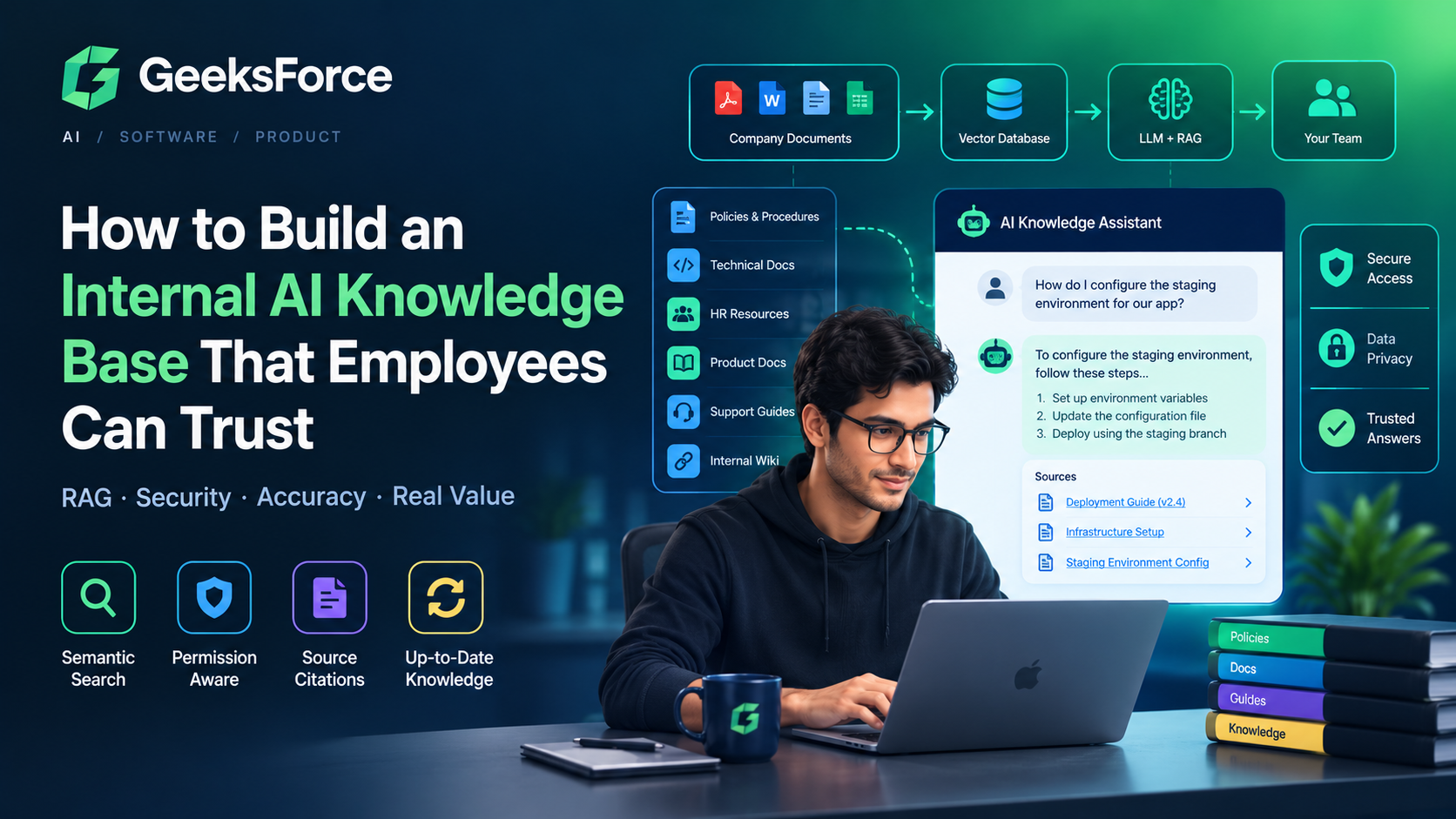
Retrieval-augmented generation, commonly known as RAG, is a widely used architecture for building AI applications that answer questions using external information.
Instead of relying entirely on what a language model learned during training, a RAG system retrieves relevant content from an organization’s knowledge sources and supplies that content to the model when answering a question.
This allows the system to work with private, domain-specific, and frequently updated information without necessarily retraining the model whenever a document changes.
How the RAG workflow works
Step 1: Ingest company documents
The system collects information from approved sources, such as internal wikis, document repositories, PDFs, and selected application APIs.
Step 2: Extract and clean the content
Documents are parsed into usable text. The pipeline may normalize formatting, remove irrelevant content, preserve headings, and extract metadata such as document titles, owners, and update dates.
Step 3: Split documents into chunks
Large documents are divided into smaller passages so that the retrieval system can identify the most relevant sections.
Chunking should preserve enough context to make each passage meaningful. A heading separated from its explanation, for example, may produce a less useful retrieval result.
Step 4: Generate embeddings and index the content
An embedding model converts text into numerical representations that support semantic similarity search. These representations, along with relevant metadata, are stored in a suitable search index or vector database.
Step 5: Retrieve relevant information
When an employee asks a question, the system searches the knowledge repository for relevant passages. Depending on the use case, retrieval can combine semantic search, keyword search, metadata filters, and reranking.
Step 6: Generate a grounded answer
The retrieved passages are provided to the language model as context. The model generates an answer based on the available evidence and can identify the sources used.
Step 7: Validate and return the response
The application can validate source references, enforce response policies, and return the answer with links to the underlying documents.
The complete workflow looks like this:
<escape> Employee Question ↓ Authentication & Authorization ↓ Query Processing ↓ Hybrid Search / Vector Retrieval ↓ Permission & Relevance Filtering ↓ Retrieved Document Passages ↓ LLM Answer Generation ↓ Source Validation & Response ↓ Answer + Citations </escape>
The important point is that RAG is more than a vector database connected to an LLM. Retrieval quality, authorization, source management, and response evaluation all contribute to the reliability of the final result.
Essential Features of a Production-Ready Internal AI Knowledge Base
A basic prototype may support document uploads and conversational search. A production system needs additional capabilities to ensure employees can use it confidently.
1. Source citations and traceable answers
Employees should be able to verify where an answer came from.
Instead of returning an unsupported statement, the system should link to the relevant document or passage whenever possible.
For example:
Employee question: How long do we retain application logs?
AI response: The current logging policy specifies a retention period of 90 days.
Source: Application Logging Policy — Section 4.2.
This example illustrates the desired behavior; the actual answer must be derived from the organization’s current, authorized policy.
Source citations make verification easier and help users identify outdated or conflicting information.
2. Permission-aware retrieval
Not every employee should have access to every company document.
HR records, financial reports, customer information, and confidential engineering documents may have different access requirements.
The knowledge base should enforce permissions before sensitive content reaches the language model. It should also account for changes in source permissions after documents have been indexed.
For example, if an employee cannot access a confidential HR document in the original document management system, the AI knowledge base should not reveal its contents through a generated response.
Access control must be enforced by the application and retrieval infrastructure, rather than relying on the language model to decide what it should disclose.
3. Document freshness and version management
A knowledge base becomes less useful when it continues to surface superseded policies or obsolete technical instructions.
A robust implementation should track document ownership, source identifiers, update timestamps, and version information.
When a source document changes, the system should update or reindex the affected content. When a document is deleted or access is revoked, its indexed passages and associated cached information should be handled according to the organization’s retention and security policies.
This prevents old information from remaining available indefinitely.
4. Semantic and hybrid search
Semantic search helps find content based on meaning, while keyword search is useful for exact terms such as error codes, product identifiers, API names, and technical symbols.
Combining both can improve retrieval quality.
A hybrid retrieval pipeline may use:
- Keyword-based search for exact matches.
- Vector search for semantic similarity.
- Metadata filters for document type, team, or version.
- Reranking to prioritize the most relevant passages.
The optimal combination depends on the content and the questions employees actually ask. It should be selected through testing rather than assumption.
5. Feedback and continuous improvement
Employees should have a way to report incorrect answers, missing information, or irrelevant sources.
That feedback can help identify whether a problem originates from incomplete documentation, poor retrieval, incorrect permissions, or model-generated errors.
A feedback loop also creates a practical way to prioritize improvements based on real usage rather than relying exclusively on developer testing.
How to Reduce Hallucinations in an Internal AI Knowledge Base
One of the biggest concerns with enterprise AI is hallucination: a model may generate an answer that sounds convincing but is not supported by the available evidence.
RAG can reduce dependence on unsupported model knowledge, but it does not eliminate hallucinations. A system can retrieve the wrong passage, overlook an important qualification, or generate an inaccurate conclusion from otherwise relevant documents.
Several engineering practices help reduce these risks.
Use authoritative knowledge sources
Identify which sources are considered authoritative for each topic.
For example, a current HR policy should take precedence over an old onboarding presentation. An approved API specification should take precedence over an outdated engineering note.
When sources conflict, the system should apply documented precedence rules or disclose the conflict rather than silently choosing an answer.
Improve retrieval quality
If the relevant information is not retrieved, the language model cannot reliably use it.
Test different chunk sizes, retrieval strategies, metadata filters, and reranking approaches against representative employee questions.
Measure whether the correct source appears in the retrieved results before attempting to solve every problem through prompt engineering.
Instruct the model to acknowledge uncertainty
The model should be instructed to answer using the retrieved evidence and acknowledge when the available information is insufficient.
For example, if an employee asks about a policy that is not documented, the system should say it could not find an authoritative answer and direct the employee to the appropriate team.
This behavior should be tested systematically. A prompt instruction alone cannot guarantee that a model will always abstain correctly.
Validate citations
A response should not be treated as grounded merely because it includes a link.
Where appropriate, verify that each cited document exists, the user is authorized to access it, and the cited passage actually supports the associated claim.
Build a representative evaluation dataset
Create a test set containing realistic questions, expected answers, authoritative sources, and examples where the correct behavior is to abstain.
Evaluate the system after changes to the embedding model, retrieval logic, chunking strategy, prompts, or language model.
Useful metrics include:
- Retrieval recall: whether relevant evidence appears in the retrieved results.
- Ranking quality: whether the most useful passages appear near the top.
- Answer correctness: whether the generated response matches the available evidence.
- Citation accuracy: whether sources support the claims made.
- Abstention quality: whether the system appropriately declines unsupported questions.
- Access-control correctness: whether unauthorized information is consistently excluded.
A strong evaluation process makes reliability measurable instead of relying on a handful of successful demonstrations.
Security and Privacy: Protecting Your Company’s Internal Knowledge
An internal AI knowledge base may process some of an organization’s most sensitive information. Security therefore needs to be designed into the ingestion, retrieval, generation, and logging processes.
Enforce access control throughout the pipeline
Associate documents and indexed passages with the relevant permissions, classifications, and tenant identifiers.
Apply authorization checks during retrieval and before returning source links or generated responses. Avoid relying exclusively on permissions applied when a document was originally ingested, because access rights can change.
Protect against prompt injection
Internal documents and uploaded files should be treated as potentially untrusted content.
A malicious or compromised document could contain instructions intended to manipulate the AI model. Retrieved text should be treated as evidence, not as an authority to override the application’s instructions or execute tools.
Keep retrieval and generation separate from privileged operations, and enforce sensitive actions through trusted backend services.
Minimize sensitive data exposure
Send only the information required to answer the user’s question. Apply appropriate data retention rules, credential management, encryption, and access restrictions to document stores, vector indexes, caches, and logs.
If an external model provider is used, review its data handling, retention, and contractual terms against the organization’s requirements.
Maintain auditability
Record relevant events such as document ingestion, retrieval, access denials, source references, and system errors.
Logs should be designed to support investigations without unnecessarily duplicating confidential document contents or credentials.
Security controls should be validated through testing, including attempts to retrieve restricted documents and to exploit malicious content embedded in the knowledge base.
Choosing the Right Technology Stack
There is no single technology stack that fits every internal AI knowledge base. The right choice depends on the organization’s existing systems, data volume, security requirements, and expected usage.
A practical architecture may include the following components.
| Component | Possible technologies | Purpose |
|---|---|---|
| Frontend | React, Next.js | Employee search and chat interface |
| Backend | Python, FastAPI, Node.js | Authentication, orchestration, and APIs |
| Language model | OpenAI API or another suitable provider | Answer generation |
| Embeddings | A suitable hosted or self-managed embedding model | Semantic representations of content |
| Search and vector storage | PostgreSQL with pgvector, or a managed vector database | Indexing and retrieval |
| Document storage | Amazon S3 or an existing document repository | Source document storage |
| Identity and access | Existing SSO, OAuth, and application authorization | User identity and permissions |
| Observability | Application logs, metrics, traces, and evaluation dashboards | Reliability and operational monitoring |
These are examples, not mandatory choices. An organization with an existing enterprise search platform may benefit from extending it instead of introducing a new vector database.
Similarly, a small team with a modest document collection may not need a complex distributed architecture.
Start with the simplest design that meets the functional, security, and performance requirements. Add complexity only when measurements or business needs justify it.
Step-by-Step: Building an Internal AI Knowledge Base
A phased implementation helps businesses validate the value of AI knowledge management before investing in a large-scale deployment.
Phase 1: Identify a focused use case
Start with one knowledge domain, such as engineering documentation, customer support procedures, or internal HR policies.
Define the users, common questions, expected answer quality, and the business problem you want to solve.
Establish a baseline for how long employees currently spend finding information or resolving repetitive questions.
Phase 2: Audit and prepare the data
Identify authoritative sources, assess document quality, remove unnecessary duplicates, and establish ownership for important content.
Determine which documents can be indexed, who can access them, and how updates and deletions will be propagated.
This phase is often more important than choosing the language model.
Phase 3: Build the retrieval pipeline
Implement document ingestion, parsing, chunking, embeddings, indexing, and retrieval.
Test the pipeline against realistic questions before introducing complex agent workflows. Confirm that relevant passages are retrieved and that document permissions are preserved.
Phase 4: Develop the chat interface
Build an interface where employees can ask questions, review cited sources, provide feedback, and report missing or incorrect information.
Integrate the interface with the organization’s identity system and ensure that access restrictions are enforced by the backend.
Phase 5: Evaluate accuracy and security
Test common questions, ambiguous requests, outdated documents, conflicting sources, unauthorized access attempts, and unsupported questions.
Measure retrieval quality, answer correctness, citation accuracy, latency, and cost.
Fix the most consequential issues before expanding the pilot.
Phase 6: Deploy, monitor, and improve
Roll out the system to a limited group of employees first.
Monitor adoption, failed searches, user feedback, answer quality, and operational costs. Establish clear ownership for maintaining source documents and improving the AI pipeline.
Expand to additional departments only after the initial use case demonstrates sufficient reliability and value.
How to Measure the ROI of an Internal AI Knowledge Base
An internal AI knowledge base should be evaluated as a business system, not merely as an AI demonstration.
Useful metrics include:
Time to find information: How long does it take employees to locate an authoritative answer compared with the existing process?
Successful resolution rate: How often does the system provide a useful answer without requiring additional searching or escalation?
Answer quality: How accurately does the system respond to representative questions, including questions with conflicting or missing information?
Adoption: How frequently do employees use the system, and which teams benefit most?
Operational cost: What are the costs of model inference, document processing, storage, maintenance, and support?
Risk and access-control performance: Does the system consistently respect permissions and avoid disclosing restricted information?
For example, if an organization measures a reduction in average information-search time, it can estimate the potential productivity benefit across its workforce.
However, time saved should not automatically be treated as direct financial savings. The actual business value depends on whether employees use that time productively and whether the system’s operating costs are justified by the results.
Common Mistakes to Avoid
Even a well-designed RAG pipeline can underperform when the surrounding knowledge management process is neglected.
Avoid these common mistakes:
- Indexing everything without reviewing quality: Duplicate, outdated, or irrelevant documents can reduce answer quality.
- Treating a vector database as the complete solution: Retrieval, authorization, source management, and evaluation are equally important.
- Ignoring document permissions: An internal chatbot must not become a shortcut around existing access controls.
- Relying entirely on prompts to prevent hallucinations: Retrieval and output behavior must be tested and measured.
- Skipping production monitoring: Accuracy and cost can change as documents, users, and models evolve.
- Expanding too quickly: A successful pilot does not prove that every department’s data and workflows are ready.
- Failing to assign document ownership: Without a process for maintaining authoritative information, knowledge quality will deteriorate over time.
A successful implementation combines AI engineering with ongoing responsibility for the underlying knowledge.
Conclusion: Turn Internal Knowledge Into a Practical Business Advantage
An internal AI knowledge base can help employees access company information faster, reduce repetitive questions, and make organizational knowledge easier to use.
But the value does not come from adding a chatbot to a folder of documents. It comes from designing a reliable system that retrieves relevant evidence, respects permissions, identifies uncertainty, and improves through ongoing evaluation.
RAG provides a practical foundation for many of these systems, but production readiness also requires good data practices, security controls, source attribution, and measurable quality standards.
The best starting point is a focused use case with clear business value, authoritative source material, and a well-defined evaluation process.
At GeeksForce, we help businesses build AI-powered applications, intelligent search experiences, and custom software integrations designed around real operational needs.
Ready to make your company’s knowledge easier to access? Visit GeeksForce to discuss an internal AI knowledge base tailored to your workflows, data sources, and security requirements.
Frequently Asked Questions
What is an internal AI knowledge base?
An internal AI knowledge base lets employees ask natural-language questions about company information and receive answers based on approved internal sources. It commonly uses retrieval-augmented generation to retrieve relevant documents and provide context to an AI model.
How does RAG improve an internal AI knowledge base?
RAG retrieves relevant information from an external knowledge repository before generating a response. This allows the system to use current, organization-specific information without depending entirely on the model’s training data. RAG can improve grounding, but it does not guarantee that every answer will be correct.
Can an internal AI knowledge base use private company documents?
Yes. It can be designed to use internal documents and other approved information sources. The implementation should enforce access controls, minimize unnecessary data exposure, and meet the organization’s requirements for privacy, security, and model-provider data handling.
How do you prevent an AI knowledge base from hallucinating?
Use authoritative documents, improve retrieval quality, provide source citations, evaluate generated answers against verified evidence, and instruct the model to acknowledge when information is insufficient. These practices reduce risk but cannot guarantee the complete elimination of hallucinations.
Which vector database is best for an internal AI knowledge base?
There is no universally best option. PostgreSQL with pgvector may be suitable when an application already uses PostgreSQL and needs integrated relational and vector search. Managed vector databases may be preferable when their operational features or scale requirements justify the additional service. Evaluate retrieval quality, filtering, security, cost, and operational complexity before deciding.
How long does it take to build an internal AI knowledge base?
The timeline depends on the number and quality of data sources, integration complexity, authentication requirements, and reliability expectations. A focused prototype can be built relatively quickly, while a production enterprise deployment may require considerably more work for permissions, document synchronization, evaluation, monitoring, and governance.
Can an internal AI knowledge base integrate with existing business applications?
Yes. Depending on the available APIs and permissions, it can integrate with document repositories, internal wikis, project management platforms, customer support systems, and selected databases. Each integration should preserve the source system’s authorization rules and data lifecycle requirements.