

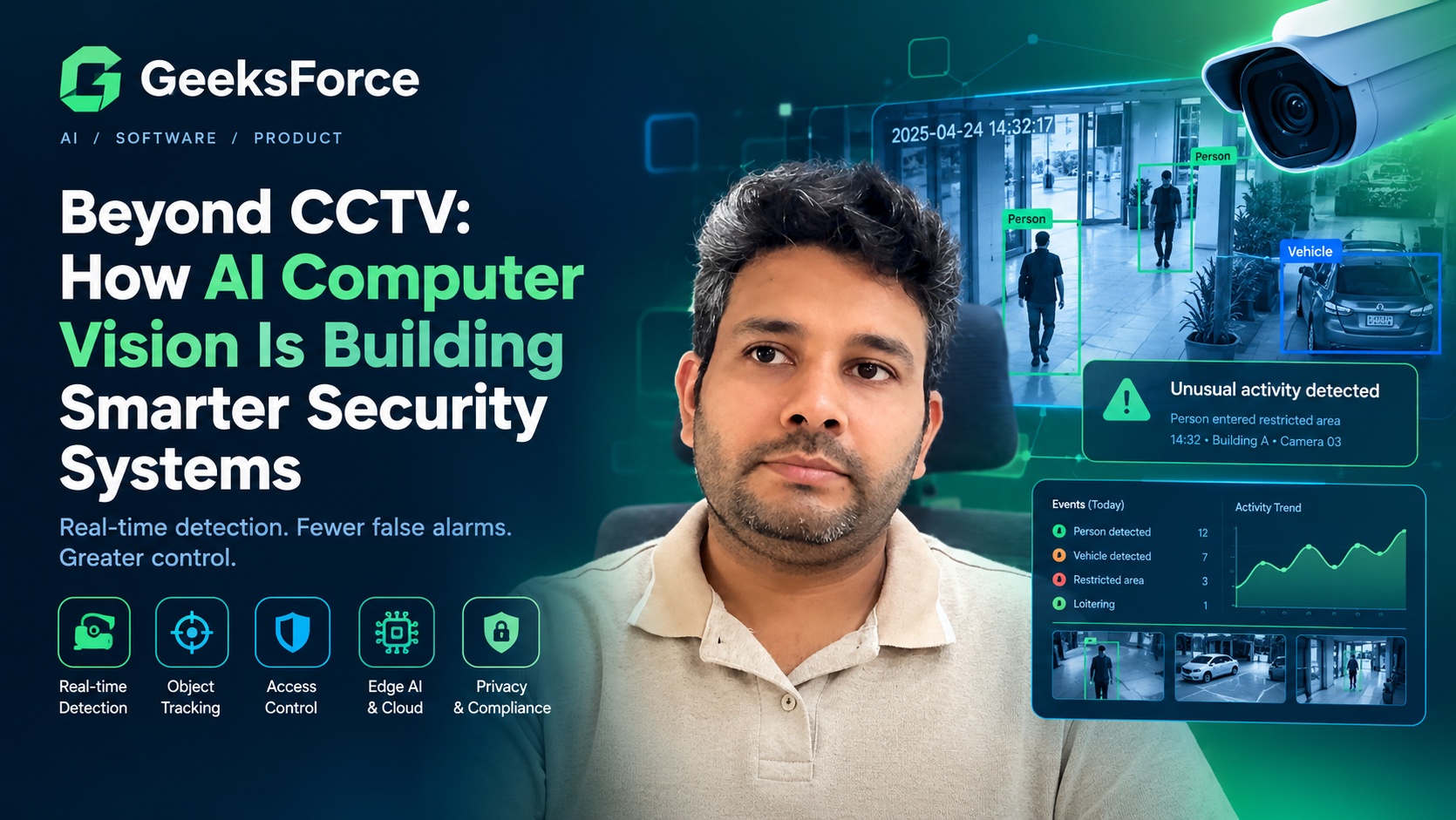
Beyond CCTV: How AI Computer Vision Is Building Smarter Security Systems
Security cameras are everywhere: office buildings, warehouses, retail stores, residential communities, manufacturing facilities, and transportation hubs. Yet having more cameras does not necessarily mean having better security.
A conventional surveillance system can record thousands of hours of footage while security personnel monitor only a limited number of screens. When an incident occurs, teams may need to review recordings manually to determine what happened, when it happened, and whether an immediate response was possible.
AI-powered computer vision offers a different approach.
Instead of treating video as footage that must always be reviewed by a person, intelligent security systems analyze visual information to identify relevant events, detect activity in restricted areas, monitor operational conditions, and help teams prioritize incidents.
For example, a warehouse security system could detect a person entering a restricted loading area after hours. A retail platform could flag activity around a closed checkout station. A manufacturing facility could identify entry into a hazardous zone and notify the appropriate supervisor.
The objective is not simply to automate surveillance. It is to transform visual data into useful, timely information that supports better security decisions.
In this guide, we explore how AI computer vision is changing physical security, the architecture behind intelligent monitoring systems, the most valuable applications, and the practical considerations businesses should address before deploying them.
What Is AI Computer Vision in Security?
AI computer vision in security is the application of machine learning and visual analysis techniques to interpret images and video for security-related purposes.
Depending on the system, these capabilities can include:
- Detecting and classifying people, vehicles, and objects.
- Identifying movement across virtual boundaries.
- Monitoring restricted zones and access points.
- Recognizing license plates in suitable conditions.
- Detecting occupancy and unusual activity patterns.
- Searching recorded footage using event metadata.
- Sending alerts when predefined conditions are met.
Traditional surveillance systems primarily capture and store video. Computer vision adds an analytical layer that helps determine which events deserve attention.
Consider a business with 100 cameras across several facilities. An operator cannot continuously inspect every frame from every camera. A computer vision platform can analyze the streams and surface events that match configured rules, allowing the operator to focus on potentially important situations.
However, computer vision does not independently establish whether an event is criminal or dangerous. It identifies visual patterns and conditions that require interpretation. Human review and appropriate operational procedures remain important, especially when alerts could lead to consequential actions.
From Video Recording to Intelligent Security
The biggest change in AI-powered security is the shift from passive recording to event-driven monitoring.
| Capability | Conventional CCTV | AI-enabled computer vision |
|---|---|---|
| Video capture | Records visual activity | Records visual activity |
| Motion detection | Often triggers on movement | Can classify objects and apply contextual rules |
| Incident discovery | Frequently requires manual review | Can surface configured events automatically |
| Video search | Often based on timestamps and camera IDs | Can use event types, object metadata, and filters |
| Alerting | Usually based on basic sensors or motion rules | Can combine visual detections with contextual conditions |
| Operational insights | Limited without additional analysis | Can provide occupancy, event, and activity summaries |
| Decision-making | Relies heavily on operator interpretation | Supports operators with structured event information |
The distinction is important: AI does not make every security system autonomous or automatically accurate. Its value comes from helping teams locate relevant events more efficiently and apply consistent monitoring rules across larger environments.
How an Intelligent Computer Vision Security System Works
A production security platform typically consists of several connected stages.
1. Video acquisition
The process begins with cameras positioned around entrances, perimeters, parking areas, production floors, or other locations requiring monitoring.
The system may receive video from existing IP cameras, network video recorders (NVRs), or a video management system (VMS).
Camera placement, image resolution, frame rate, lighting, and field of view influence the quality of the information available to the AI models.
2. Video preprocessing
Raw video streams often need to be normalized before analysis.
Preprocessing can include resizing frames, adjusting sampling rates, handling timestamps, and preparing images for the selected computer vision model.
A system does not necessarily need to analyze every frame. Depending on the use case, selective frame sampling or event-triggered processing may reduce infrastructure costs while preserving sufficient detection performance.
3. Visual detection and tracking
Computer vision models identify relevant objects and, where necessary, track their movement across frames.
For example, a perimeter monitoring system may detect a person, determine whether the person crosses a virtual boundary, and track the movement long enough to establish whether a configured event occurred.
Different tasks require different models. Object detection, object tracking, image classification, segmentation, and action recognition are related techniques, but they are not interchangeable.
The correct approach depends on the specific security requirement.
4. Context and event evaluation
An individual detection is not always a security incident.
A person walking through a public hallway may be expected. The same person entering a restricted server room outside authorized hours may require investigation.
The event-processing layer combines visual information with context such as:
- Camera location and configured zones.
- Time of day and operating schedules.
- Access-control events.
- Object movement and dwell time.
- Rules defining prohibited or unusual activity.
This is where raw detections become structured security events.
5. Alert delivery and incident management
When an event meets the configured criteria, the platform can create an alert containing relevant information.
An alert might include the camera identifier, event timestamp, confidence score, a short video clip, and the rule that was triggered.
The event can then be sent to a security dashboard, mobile application, incident management platform, or existing VMS.
The aim is to provide enough context for an operator to assess the situation without requiring them to reconstruct the entire event from hours of recordings.
6. Review, audit, and system improvement
Security personnel should be able to review detections, confirm or dismiss alerts, and document the resulting action.
These records can help teams identify recurring false alarms, adjust event thresholds, investigate missed incidents, and measure performance over time.
Any model updates or changes to alert rules should be tested before they are applied broadly. Changes that improve one camera environment may reduce performance in another.
High-Value Applications of Computer Vision in Physical Security
The strongest use cases are those where visual monitoring addresses a clearly defined operational problem.
1. Perimeter intrusion detection
Large facilities often have fences, gates, loading areas, and outdoor zones that require continuous monitoring.
Computer vision can detect people or vehicles entering configured restricted areas, crossing virtual boundaries, or approaching designated locations outside permitted hours.
Example: A distribution center defines virtual boundaries around its loading yard. When a person enters a restricted section overnight, the system generates an event with a short video clip for security review.
This approach can reduce reliance on basic motion alerts, which may be triggered by vegetation, changing light, or other irrelevant movement.
2. Access-point monitoring
Security teams need to know not only whether a door opened, but also whether entry occurred according to the expected procedure.
Visual analytics can help identify conditions such as tailgating, unexpected movement through controlled entrances, or activity around doors that should remain closed.
When integrated with access-control systems, video events can be compared with authorized entry records.
Example: A corporate facility detects a door opening without a corresponding access-control event. The platform flags the discrepancy for review rather than automatically assuming that a breach occurred.
3. Vehicle and parking security
Computer vision can support parking operations, vehicle entry monitoring, and security investigations.
Depending on camera conditions and the model, license plate recognition can help match vehicles against authorized lists and create searchable entry records.
Additional analytics can identify occupancy, vehicle movement, and activity in designated zones.
Example: A logistics facility records vehicle entry and exit events and allows authorized staff to search for vehicles associated with a particular time window.
License plate recognition performance depends on factors such as viewing angle, motion blur, lighting, plate visibility, and local plate formats. A robust system should provide a fallback for uncertain readings.
4. Retail loss prevention
Retail environments contain multiple areas where suspicious activity or security incidents may need review, including entrances, checkout stations, stockrooms, and restricted employee areas.
Computer vision can support event detection and incident investigation by identifying activity that matches carefully defined rules.
Example: A retailer uses visual analytics to flag unusual activity near a closed checkout station, allowing authorized staff to review the relevant footage.
These systems should be designed to flag observable events rather than make unsupported accusations about an individual’s intent. Human review is particularly important where an alert could affect a customer or employee.
5. Workplace and industrial safety
In factories, warehouses, and construction environments, visual analytics can help monitor hazardous zones and certain safety requirements.
Potential applications include detecting people entering restricted machinery areas, identifying occupancy around dangerous equipment, and checking whether required protective equipment is visible.
Example: A warehouse system detects a person entering a marked forklift-only zone and sends an alert to a designated supervisor.
Computer vision can support safety monitoring, but it should not be treated as a substitute for physical safeguards, appropriate training, or established safety procedures.
6. Crowd and occupancy monitoring
Large buildings and venues need visibility into crowd density, queue lengths, and movement through entrances and exits.
Computer vision can estimate occupancy and detect congestion when the camera setup and scene conditions support reliable analysis.
Example: A venue monitors queue lengths at several entrances. When a queue exceeds a configured threshold, staff receive an alert and can open an additional entry point.
These estimates should be calibrated and validated for the actual environment. Occlusion, camera angles, and crowd movement can affect measurement quality.
7. Faster incident investigation
Security teams often need to answer questions after an event:
- When did the incident begin?
- Which camera captured the relevant activity?
- Where did the person or vehicle move?
- Which other events occurred during the same period?
An event-indexed video platform can make these investigations faster by storing structured metadata alongside footage.
Instead of reviewing an entire recording manually, an authorized investigator can filter by location, timestamp, event type, or detected object.
The system should preserve appropriate evidence-handling procedures, access controls, and audit trails when footage is used for formal investigations.
Choosing Between Edge AI, Cloud AI, and Hybrid Deployment
One of the most important architecture decisions is where the computer vision workload should run.
<box>
<row align=”start” gap={3}>
<AsyncImage query=”industrial edge AI computer vision inference server connected to IP security cameras network rack” aspectRatio=”4:3″ width=”112px” />
<box flex=”1″ gap={1}>
**Edge AI: Analyze video locally**
  Video is processed on a camera, local appliance, or on-site server. This can reduce network bandwidth and support low-latency alerts, particularly when connectivity to the cloud is limited.

  <text color="secondary" size="sm">Best suited to: immediate local alerts, bandwidth-sensitive sites, and deployments with strict data-location requirements.</text>
</box>
</row>
<divider color=”subtle” />
<row align=”start” gap={3}>
<AsyncImage query=”cloud computer vision video analytics architecture data center dashboard connected security cameras” aspectRatio=”4:3″ width=”112px” />
<box flex=”1″ gap={1}>
**Cloud AI: Centralize processing and management**
  Video or selected clips are transmitted to cloud infrastructure for analysis. This can simplify centralized management and provide access to scalable compute resources.

  <text color="secondary" size="sm">Best suited to: distributed sites, centralized analytics, and workloads that need elastic computing capacity.</text>
</box>
</row>
<divider color=”subtle” />
<row align=”start” gap={3}>
<AsyncImage query=”hybrid edge computing and cloud architecture for smart security video analytics” aspectRatio=”4:3″ width=”112px” />
<box flex=”1″ gap={1}>
**Hybrid AI: Combine local and centralized processing**
  Time-sensitive detection happens locally, while event metadata, selected clips, and aggregate analytics are sent to a central platform.

  <text color="secondary" size="sm">Best suited to: multi-site organizations that need both local responsiveness and centralized oversight.</text>
</box>
</row>
</box>
There is no universally best deployment model. The decision should consider latency, network capacity, camera count, hardware costs, privacy obligations, maintenance requirements, and the consequences of a network or service outage.
A Practical Architecture for an AI Security Platform
A scalable computer vision platform should separate video processing, event evaluation, alert delivery, and application management.
A simplified architecture might look like this:
<box border radius="xl" padding={3} gap={2}>
<box background="surface-secondary" radius="md" padding={3} align="center" gap={1}>
<icon name="camera" size="xl" />
**IP Cameras / NVR / VMS**
<text color="secondary" size="sm" textAlign="center">RTSP streams, video clips, camera metadata</text>
</box>
<box align="center">
<icon name="arrow-down" size="lg" color="secondary" />
</box>
<box border radius="md" padding={3} align="center" gap={1}>
<icon name="cpu" size="xl" />
**Computer Vision Inference**
<text color="secondary" size="sm" textAlign="center">Detection, tracking, classification, preprocessing</text>
</box>
<box align="center">
<icon name="arrow-down" size="lg" color="secondary" />
</box>
<box border radius="md" padding={3} align="center" gap={1}>
<icon name="git-branch" size="xl" />
**Event Rules and Context**
<text color="secondary" size="sm" textAlign="center">Zones, schedules, access events, confidence thresholds</text>
</box>
<box align="center">
<icon name="arrow-down" size="lg" color="secondary" />
</box>
<grid columns={2} gap={2}>
<grid-item>
<box background="surface" border radius="md" padding={2} align="center" gap={1}>
<icon name="bell" size="lg" />
**Alerts**
<text color="secondary" size="xs" textAlign="center">Operator notifications</text>
</box>
</grid-item>
<grid-item>
<box background="surface" border radius="md" padding={2} align="center" gap={1}>
<icon name="database" size="lg" />
**Event Storage**
<text color="secondary" size="xs" textAlign="center">Metadata, clips, audit logs</text>
</box>
</grid-item>
</grid>
<box align="center">
<icon name="arrow-down" size="lg" color="secondary" />
</box>
<box background="surface-secondary" radius="md" padding={3} align="center" gap={1}>
<icon name="layout-dashboard" size="xl" />
**Security Dashboard and Integrations**
<text color="secondary" size="sm" textAlign="center">Web application, mobile notifications, VMS, incident workflows</text>
</box>
</box>
This separation makes it easier to scale individual components and upgrade models without redesigning the entire platform.
Recommended technology choices
The precise stack depends on the workload, existing infrastructure, and team expertise. One possible implementation includes:
- Computer vision: OpenCV and suitable object detection or tracking models.
- Inference runtime: A framework or optimized runtime appropriate for the chosen model and hardware.
- Backend APIs: Python with FastAPI, or Node.js for application services.
- Event processing: A message broker or event queue when asynchronous processing is required.
- Database: PostgreSQL for structured metadata, users, rules, and event records.
- Video storage: Local storage or object storage with defined retention and access policies.
- Frontend: React or Next.js for dashboards and incident review.
- Deployment: Edge devices, containers, cloud infrastructure, or a hybrid arrangement.
- Monitoring: Metrics, logs, model evaluation, infrastructure health, and alert-quality reporting.
Not every project needs every component. A single-site proof of concept may be simpler, while a multi-site deployment with thousands of streams may require distributed processing, load balancing, and resilient event delivery.
The architecture should grow in response to demonstrated requirements rather than unnecessary complexity.
Why False Alarms Are an Engineering Problem
An intelligent security system is only useful if operators can trust its alerts.
False positives occur when the system reports an event that does not meet the intended security condition. False negatives occur when a relevant event goes undetected.
Both can be costly. Too many false alarms create alert fatigue, while missed detections undermine confidence in the system.
Several factors influence performance.
Camera placement and image quality
Poor viewing angles, low resolution, occlusion, glare, and inadequate lighting can make detections unreliable.
Before changing models, verify that cameras capture the visual evidence the application requires.
Model selection and threshold tuning
A model’s performance varies with the environment and task. Detection thresholds, tracking behavior, and event rules should be tested using representative footage from the deployment site.
A threshold that works well in a quiet indoor corridor may perform poorly in a crowded outdoor environment.
Context-aware event rules
A single detection should not automatically trigger a high-priority response.
Combining multiple signals—such as location, time, direction of movement, and access-control status—can improve the relevance of alerts.
Continuous evaluation
Track false-positive rates, missed events, alert volume, and response outcomes. Reassess performance when camera positions, lighting, layouts, or operational patterns change.
The objective is not to promise perfect detection. It is to establish measurable performance and continuously improve it under realistic operating conditions.
Privacy, Security, and Responsible Deployment
Physical security footage can contain identifiable people, sensitive business activity, and information about employee or customer behavior. An AI system introduces additional risks because footage may be analyzed, indexed, and searched in ways that were not possible with a basic recorder.
Responsible deployment should include the following controls.
Data minimization. Process and retain only the video, metadata, and clips needed for a defined purpose.
Access control. Restrict live feeds, recordings, biometric data, and incident records according to job responsibilities.
Retention policies. Define how long recordings and event metadata remain available, and automate deletion when retention periods expire.
Auditability. Record who accessed sensitive footage, reviewed incidents, exported recordings, or changed system rules.
Encryption and infrastructure security. Protect video streams, storage, APIs, devices, and management interfaces against unauthorized access.
Biometric safeguards. Facial recognition and other biometric applications require additional legal, technical, and operational assessment. Where possible, use less intrusive alternatives if they satisfy the same requirement.
Human oversight. Avoid making consequential decisions solely on the basis of an unverified visual detection or a model-generated score.
Organizations should evaluate applicable privacy and surveillance laws before deployment. Requirements vary by jurisdiction and use case, especially where biometric identification, workplace monitoring, or public-space surveillance is involved.
For additional guidance, consult the Security Industry Association’s Data Privacy Code of Practice for Video Surveillance.
A Step-by-Step Roadmap for Deploying Computer Vision Security
A structured rollout helps organizations validate the business case before investing in a large deployment.
Phase 1: Define the security objective
Identify the specific problem to solve, such as perimeter intrusion, restricted-area entry, vehicle monitoring, or incident investigation.
Establish measurable success criteria before selecting models or hardware.
Phase 2: Assess existing infrastructure
Review camera compatibility, video quality, network capacity, storage, access controls, and existing VMS integrations.
This assessment determines whether the system can extend existing infrastructure or requires additional equipment.
Phase 3: Build a focused proof of concept
Select a small number of representative cameras and implement the core detection and alerting workflow.
Use real-world footage and test both normal activity and relevant security events.
Phase 4: Validate performance and privacy
Measure detection quality, false alarms, latency, infrastructure costs, and operator usability. Verify that access controls and retention rules work as intended.
Phase 5: Integrate with operational workflows
Connect verified events to the appropriate dashboards, notifications, or incident management systems.
Define who receives each alert, how it should be reviewed, and what happens if the system or network becomes unavailable.
Phase 6: Expand gradually
Roll out to additional cameras and sites in stages. Monitor performance and recalibrate when the environment changes.
This approach helps organizations avoid scaling an unvalidated model across an entire facility.
Measuring the Business Value of Intelligent Security
The value of a computer vision system should be demonstrated through operational results rather than model accuracy alone.
| Metric | Why it matters |
|---|---|
| Detection recall | Measures how many relevant events the system detects |
| False-positive rate | Indicates how often the system generates incorrect alerts |
| Alert latency | Measures the time between an event and notification |
| Time to review an incident | Shows whether investigations become faster |
| Operator workload | Tracks time spent monitoring and triaging alerts |
| System availability | Measures whether monitoring remains operational |
| Cost per camera or stream | Helps evaluate the financial impact of deployment |
| Privacy and access incidents | Tracks failures in data handling and access controls |
Metrics should be evaluated against a baseline and interpreted in the context of the security objective.
For example, a system designed to detect rare, high-risk events may need different performance trade-offs from one used for routine occupancy monitoring.
The Future of Computer Vision in Security
Several developments are shaping the next generation of intelligent security platforms.
More processing at the edge
More capable edge hardware makes it practical to analyze video locally for selected applications. This can reduce the amount of footage transmitted and support faster local responses.
Multimodal event analysis
Some systems combine visual information with access-control logs, environmental sensors, and other operational signals. Combining independent sources can provide richer context than video analysis alone.
Natural-language video search
Newer interfaces can make it easier for authorized users to search incident metadata and locate relevant footage using natural-language queries. Such capabilities need careful testing to ensure search results accurately reflect recorded events.
Better integration with existing security platforms
Organizations increasingly need AI systems that enhance existing camera fleets, VMS platforms, and access-control systems instead of forcing a complete infrastructure replacement.
Greater emphasis on governance
As AI monitoring becomes more capable, privacy, auditability, access controls, and clear operating policies will be essential to long-term adoption.
The strongest systems will combine useful automation with measurable reliability, responsible data handling, and effective human oversight.
Build an Intelligent Security Solution With GeeksForce
Developing a computer vision security platform requires more than selecting an AI model. It involves video ingestion, real-time processing, backend engineering, event management, integration with existing infrastructure, and careful evaluation under real-world conditions.
At GeeksForce, we build AI-powered software solutions that connect modern machine learning capabilities with practical business workflows.
Depending on your requirements, a custom computer vision platform can include:
- Real-time video analysis and object detection.
- Intelligent event rules and security alerts.
- Web dashboards for monitoring and incident investigation.
- Integration with existing cameras and operational systems.
- Edge or cloud deployment architecture.
- Secure APIs, event storage, and audit logging.
- Performance monitoring and model evaluation.
Whether you are exploring a proof of concept or planning a production deployment, start with a specific security challenge, a measurable outcome, and a realistic assessment of your existing infrastructure.
Planning an AI-powered security application? Visit GeeksForce to discuss your software development and AI engineering requirements.
Frequently Asked Questions
What is computer vision in physical security?
Computer vision in physical security uses AI models to analyze images and video for events such as restricted-area entry, vehicle movement, object detection, and unusual activity. It helps security teams identify relevant events without manually reviewing every frame.
Can AI computer vision work with existing CCTV cameras?
In many cases, yes. Existing IP cameras and video recorders may be compatible with a computer vision layer. Compatibility depends on video protocols, stream quality, network capacity, and the processing requirements of the selected models.
Does computer vision replace human security personnel?
No. It can automate selected detection and monitoring tasks, but people remain important for interpreting alerts, assessing context, responding to incidents, and making consequential decisions.
Is edge AI better than cloud-based video analytics?
Neither is universally better. Edge AI can reduce latency and bandwidth requirements, while cloud processing can simplify centralized management and scaling. Hybrid architectures often provide a useful balance for organizations operating across multiple locations.
How can a computer vision system reduce false alarms?
False alarms can be reduced through appropriate camera placement, representative testing data, threshold tuning, context-aware rules, and continuous performance monitoring. No system can guarantee that every detection will be correct.
Is facial recognition necessary for AI-powered security?
No. Many useful security applications rely on object detection, tracking, zone monitoring, or event classification without identifying a person’s identity. Facial recognition should be considered only when there is a clear, justified need and the applicable legal and privacy requirements have been assessed.
How long does it take to build a computer vision security application?
The timeline depends on the number of cameras, the complexity of the detection task, existing infrastructure, deployment requirements, and security controls. A focused proof of concept is generally less complex than a multi-site production platform.